
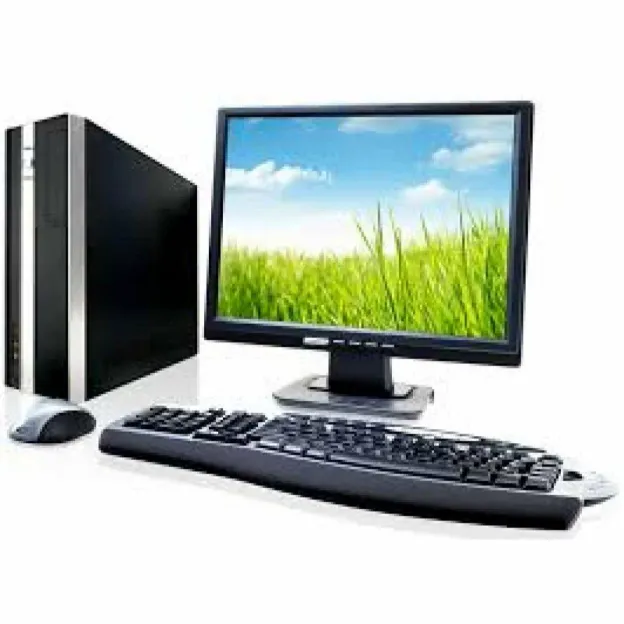
Businesses regularly upgrade their computer systems to improve employee productivity, support new software, and maintain efficient operations. However, these upgrades often leave organisations with dozens or even hundreds of unused desktop computers. Storing outdated equipment takes up valuable office space and creates additional asset management responsibilities. Opting for a bulk desktop purchase provides a practical way to manage old IT assets, recover some of their value, and support responsible electronic waste management.
Managing Outdated Desktop Inventory
When companies replace their desktop computers, the old systems do not always become useless. However, managing these different devices individually can become difficult, particularly when businesses have large inventories.
Bulk desktop buyers help simplify this process by purchasing multiple computers in a single transaction.
● Centralised Collection: Businesses can arrange the collection of multiple desktop computers instead of finding individual buyers for every system.
● Reduced Storage Requirements: Removing unused computers creates additional space for office operations, equipment storage, and future installations.
● Simplified Asset Management: Selling old systems together reduces the time employees spend tracking, listing, and managing unwanted equipment.
● Better Inventory Control: Organisations can maintain clearer records of active and retired IT equipment.
This approach is particularly useful for companies that regularly replace computers across multiple departments or office locations.
Evaluating Desktop Computers Before Bulk Selling
A desktop computer’s value depends on several factors, including its technical specifications, physical condition, age, and reusable components. Therefore, businesses should understand the condition of their inventory before approaching a buyer.
Important evaluation points include:
● Processor Specifications: The processor generation and performance help determine whether a desktop can support modern computing requirements.
● RAM Capacity: Available memory affects the system’s usability and potential for refurbishment.
● Storage Components: Hard drives and SSDs may have reuse or recovery value, depending on their condition.
● Physical Condition: Damaged cabinets, missing components, and broken ports can influence the overall valuation.
● Working Status: Functional computers may have greater resale potential than systems that are no longer operational.
Businesses should prepare an approximate inventory containing desktop quantities, brands, specifications, and working conditions. This information helps buyers understand the collection and provide a more suitable quotation.
Handling Large IT Clearances Through Bulk Purchasing
Selling desktop computers individually can involve repeated communication, separate inspections, and multiple collection arrangements. A bulk desktop purchase provides a more organised alternative because several systems can be evaluated and sold together.
Businesses can benefit from this arrangement during different operational situations:
● Office Technology Upgrades: Companies replacing outdated desktop systems can clear their previous equipment without managing separate sales.
● Office Relocations: Organisations moving to new premises can remove unused computers before transporting essential equipment.
● Business Expansion: When departments receive newer systems, older desktops can be collected and evaluated together.
● Company Closures: Businesses shutting down operations can organise their remaining computer inventory for a coordinated clearance.
● Warehouse Inventory Management: Distributors and IT departments can remove accumulated desktop stock through bulk transactions.
A planned collection also makes it easier to coordinate transportation, equipment verification, and payment within a defined schedule.
Protecting Business Information Before Equipment Collection
Desktop computers often contain sensitive information, even when employees have stopped using them. Financial documents, customer records, internal reports, login credentials, and business communication may remain stored on their hard drives or SSDs.
Deleting visible files or formatting a computer does not always guarantee that information has been permanently removed. Therefore, data security should remain a priority throughout the desktop clearance process.
Businesses should follow these precautions before handing over their equipment:
● Create Necessary Backups: Transfer important business documents and authorised records to approved storage systems.
● Remove User Accounts: Sign out of business applications and remove access to company accounts wherever appropriate.
● Disconnect Devices: Remove desktop computers from company networks and revoke their access to internal systems.
● Use Secure Data Erasure: Apply appropriate data sanitisation methods to remove information from storage devices.
● Maintain Destruction Records: Request suitable documentation when storage media requires physical destruction instead of data wiping.
Organisations should also establish clear responsibility for data sanitisation and verify how the buyer handles storage devices. This reduces the possibility of confidential information being exposed during resale, refurbishment, or recycling.
Separating Reusable Computers From Electronic Waste
Not every outdated desktop needs to be dismantled immediately. Some systems may still perform everyday tasks, while others may require minor repairs or component replacement. Separating equipment according to its condition helps ensure that each item follows an appropriate route.
A responsible buyer can evaluate the inventory and identify different processing possibilities.
● Functional Desktops: Working systems may be suitable for refurbishment, resale, or reuse, depending on their specifications and condition.
● Repairable Systems: Computers with replaceable components may regain practical value after suitable repairs.
● Non-Functional Equipment: Severely damaged systems can be directed towards responsible material recovery and recycling.
● Reusable Components: RAM modules, processors, power supplies, and other suitable components may have recovery potential after inspection.
This distinction is important because electronic equipment contains materials that should not automatically be treated as general waste. Proper sorting helps recover useful resources while reducing unnecessary disposal.
Understanding Pricing and Collection Arrangements
Bulk desktop selling requires a clear understanding of how equipment is valued and collected. Businesses should not assume that every desktop will receive the same price simply because the systems are being sold together.
The final quotation may depend on several considerations.
● Total Quantity: The number of available desktops helps determine the scale of the collection and transaction.
● Technical Specifications: Processor types, RAM, storage capacity, and hardware configurations influence potential value.
● Equipment Condition: Working, repairable, and damaged computers may receive different valuations.
● Market Demand: Demand for particular components and reusable systems can influence purchasing prices.
● Transportation Requirements: Collection distance, loading arrangements, and inventory volume may affect the overall process.
Before confirming a transaction, businesses should request a clear quotation and understand the inspection criteria, collection schedule, and payment terms. Transparent communication helps prevent misunderstandings during the clearance process.
Choosing a Suitable Bulk Desktop Buyer in Dubai
Selecting an experienced buyer is an important part of managing retired IT equipment. Businesses need a service provider that understands desktop evaluation, bulk collection, secure handling, and responsible recycling.
Working with a bulk normal desktop buyer in Dubai can help organisations manage large computer inventories through a more coordinated process.
Businesses should consider the following points before finalising a buyer:
● Equipment Acceptance: Confirm whether the buyer accepts old, used, damaged, and mixed desktop models.
● Bulk Collection Capacity: Check whether the provider can manage the available quantity and arrange suitable transportation.
● Transparent Evaluation: Understand how desktop specifications, working conditions, and reusable components influence pricing.
● Data Security Practices: Ask about data wiping, physical destruction, and available verification documents.
● Responsible Processing: Confirm that non-reusable equipment is directed towards appropriate recycling channels.
● Payment Clarity: Discuss payment methods and the conditions under which payment will be completed.
A suitable buyer should explain the process clearly rather than focusing only on collecting the equipment.
Conclusion
Bulk desktop buyers help businesses manage outdated IT assets without allowing unused computers to occupy valuable office space. Businesses looking for professional assistance with desktop collection and electronic waste management can explore E-Waste IT Recycling. They provide services as a bulk normal desktop buyer in Dubai, along with equipment evaluation, collection, and e-waste recycling across Dubai and other UAE locations. Their services help businesses manage unwanted IT equipment through an organised process while supporting secure handling and responsible disposal.